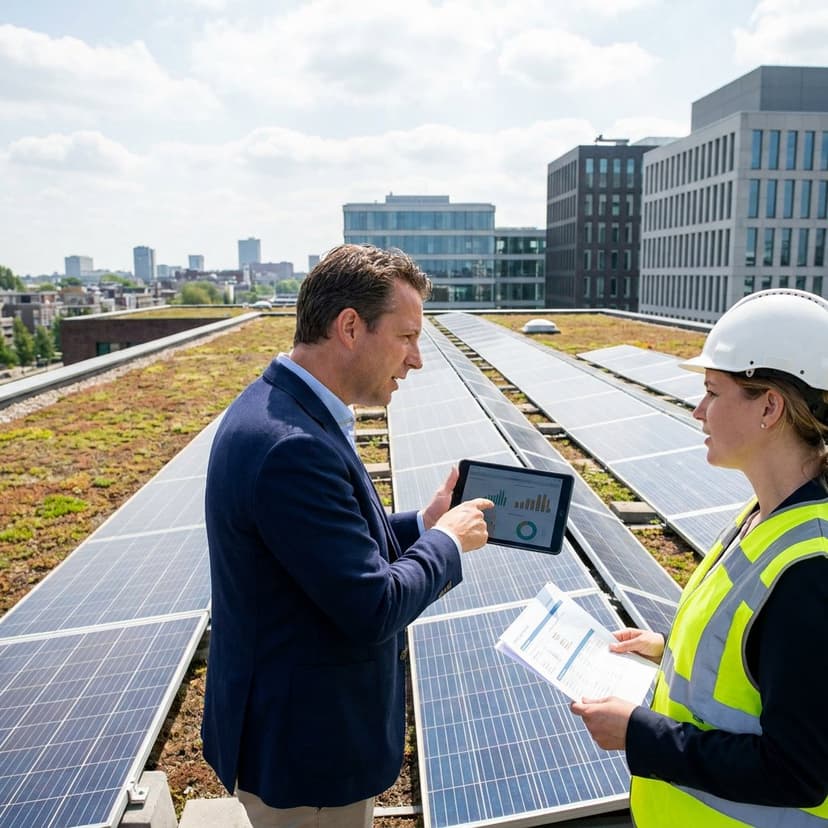
Solar Lead Form Fields
The right solar lead form fields do more than collect contact details. They help you identify whether a prospect is a fit, what kind of property they have, how urgent the project is, and how quickly your team can move toward a quote or proposal. If your form only asks for a name, email, and phone number, you force sales to do the real qualification later.
A stronger solar lead form captures the information you need upfront without making the form feel heavy. That usually means combining basic contact fields with property details, electricity usage, ownership status, timing, and preferred next step. For solar businesses, that balance matters because lead quality depends on site suitability, financial potential, and buyer intent.
This guide explains which solar lead form fields matter most, which ones should be required, how to structure them for higher conversions, and how to avoid asking for too much too soon. It is written for installers, solar sales teams, and vendors that want better-qualified inbound leads from websites, landing pages, ads, and outreach campaigns.
What makes solar lead form fields different from a standard lead form
A generic lead generation form is built to start a conversation. A solar form has to do more. It needs to collect enough detail to estimate project potential before a long qualification call. That is why solar lead capture forms often include property and energy-related questions that you would not see in a standard contact form.
At minimum, a normal form may ask for name, email, and phone number. A solar-specific version should usually go further with fields like service address, property type, ownership status, roof type, utility provider, and average monthly electricity bill. These inputs help your team quickly assess whether the lead is residential or commercial, whether the person can make a decision, and whether the project is likely to be worth pursuing.
This is also where conversion quality improves. Better field selection reduces wasted follow-up, shortens the path to proposal, and gives your team cleaner routing rules for sales, appointment scheduling, and automated responses. If your business uses remote property analysis, 3D roof visualization, or instant proposal workflows, the form becomes even more important because the collected data directly powers the next step. Learn how to set these up for lead routing and speed to lead in solar.
The essential solar lead form fields to include
Not every form needs every possible field, but most high-performing solar lead forms are built around a core set of questions. These fields give you enough context to qualify the lead without creating unnecessary friction.
Contact information fields
These are the foundation of any solar lead generation form. Without them, you cannot follow up or move the lead into your pipeline.
- Full name
- Email address
- Phone number
- Preferred contact method
Preferred contact method is especially useful because some leads respond much better to text, while others expect email first. This small field can improve response rates and reduce missed opportunities.
Property identification fields
Solar projects are tied to a physical location, so property-related fields are not optional if you want meaningful qualification.
- Property address
- ZIP or postal code
- Property type
- Building use, if relevant
The address is one of the highest-value fields in solar. It allows your team to assess roof layout, sun exposure, shade conditions, and local utility context. If your workflow supports remote property characteristic collection, this field can unlock much of the downstream estimation process.
Ownership and decision-making fields
These questions help you separate actionable leads from low-fit inquiries.
- Do you own or rent the property?
- Are you the primary decision-maker?
- For commercial leads, what is your role?
Ownership status is one of the most important solar lead form fields because renters often cannot move forward without owner approval. For commercial and institutional inquiries, a role-based field can tell you whether the contact is a property manager, facilities lead, executive, or procurement stakeholder.
Energy usage and savings potential fields
These fields help estimate solar opportunity and financial fit.
- Current utility provider
- Average monthly electricity bill
- Estimated monthly energy usage, if known
- Interest in lowering utility costs, backup power, sustainability goals, or energy independence
Average bill is one of the most practical qualification fields because it gives quick insight into system potential. It also helps your team prioritize leads with enough consumption to justify a proposal.
Property and installation readiness fields
These fields support better prequalification before a consultation.
- Roof type
- Roof age, if known
- Approximate roof condition
- Shading concerns
- Timeline for installation
You do not always need all of these in the first step, but at least one or two readiness fields can help your team identify urgency and technical fit. If your process includes remote roof assessment or AI-generated proposal workflows, these answers can reduce manual work significantly.
Best solar lead form fields by qualification purpose
Every field should earn its place. The easiest way to evaluate a solar lead capture form is to group fields by what they help you learn. This keeps the form focused on qualification instead of random data collection.
Fields that identify the person
- Full name
- Phone
- Preferred contact method
Fields that identify the project location
- Property address
- ZIP or postal code
- Property type
- Residential or commercial project
Fields that estimate financial opportunity
- Average electricity bill
- Utility provider
- Energy usage
- Interest in financing or cash purchase
Fields that measure intent
- Installation timeline
- Main reason for going solar
- What stage are you in?
- Have you received other quotes?
Fields that improve operational follow-up
- Preferred appointment time
- Additional notes
- Best time to contact
- Consent checkbox for follow-up
Recommended field structure for residential solar leads
Residential forms should stay simple while still collecting the key qualification data. Homeowners usually respond best to a form that feels quick, clear, and relevant to savings. In most cases, you want to avoid turning the first interaction into a long questionnaire.
A strong residential setup usually starts with the contact basics, then moves into property address and ownership status, followed by one or two energy questions. Good examples are average monthly bill and utility provider. You can then ask for timeline and preferred contact method before the final submit.
If you use a multi-step form, the order often works well like this:
- Name and contact details
- Property address and own or rent question
- Average electricity bill and utility provider
- Roof type or shading question
- Timeline and preferred next step
This structure lets you collect the fields that matter most without overwhelming the lead at the start. It also works well with automated follow-up, instant estimate workflows, and remote property review.
Recommended field structure for commercial solar leads
Commercial solar lead form fields usually need a little more depth because the project scope, stakeholder group, and financial evaluation are more complex. At the same time, the form still needs to be usable. The goal is not to ask everything at once, but to gather enough context to route the lead correctly.
For commercial leads, the most useful additions often include company name, role, building type, number of locations, estimated energy usage, and project goals. You may also want a field that identifies whether the inquiry is for a warehouse, office, retail property, multifamily site, school, or another facility type.
Practical commercial fields can include:
- Company name
- Job title or role in the project
- Property or portfolio address
- Building type
- Estimated monthly utility spend
- Project objective, such as cost reduction, ESG goals, resilience, or capital planning
- Project timeline
- Request for consultation, assessment, or proposal
If commercial deals involve multiple stakeholders, use the form to capture routing context, not every technical detail. Deeper engineering and procurement questions can come later once the lead is qualified.
Which solar lead form fields should be required
Required fields should be limited to the information you truly need to take the next step. The more fields you force users to complete, the greater the drop-off risk. In most cases, the best approach is to require only the fields that support contact, project identification, and basic fit.
A practical required-field set often includes:
- Full name
- Email or phone number
- Property address
- Ownership status
- Average monthly electricity bill or energy usage estimate
Everything else can often remain optional or appear conditionally. For example, roof type can be helpful, but it does not always need to be mandatory in the first interaction. The same goes for utility provider or installation timeframe, depending on your campaign goal.
If your objective is top-of-funnel lead capture from paid ads, keep the required list short. If your objective is higher lead quality from a bottom-of-funnel quote page, you can ask for more because the buyer intent is stronger.
How to use conditional logic in a solar lead form
Conditional logic is one of the most useful ways to improve both conversion rate and lead quality. Instead of showing every field to every visitor, you reveal questions based on previous answers. This keeps the form shorter and more relevant.
For example, if someone selects that they rent the property, you can ask whether they are seeking approval from the owner instead of showing roof-specific questions right away. If the lead selects commercial property, you can replace homeowner-focused questions with company and facility questions. If they indicate a high electricity bill, you can route them toward a faster estimate path.
Useful solar form logic examples include:
- Owns property -> show roof and installation readiness questions
- Rents property -> show landlord approval question
- Residential -> show homeowner-focused energy questions
- Commercial -> show role, building type, and project scope questions
- Urgent timeline -> trigger faster follow-up workflow
- Wants battery storage -> show backup power interest questions
Conditional logic helps you keep the first experience smooth while still collecting meaningful qualification data behind the scenes.
Field order matters as much as field choice
Even a good list of solar lead form fields can underperform if the order feels wrong. People are more likely to finish a form when the early questions feel easy and relevant. That means starting with simple, low-friction fields before asking for more detailed project information.
A common high-converting order is:
- Basic contact details
- Property address
- Ownership status
- Electric bill or usage
- Project details and timing
- Preferred contact method
If you begin with difficult technical questions, many users will leave because they are not ready. If you save all qualification fields for later, your sales team ends up doing more manual discovery. The right sequence solves both problems. This is also why landing pages that convert solar leads and forms should be planned together rather than treated as separate assets.
Solar lead form fields to avoid in the first step
Some fields create unnecessary friction when asked too early. That does not mean they are never useful, only that they usually belong later in the sales process.
- Detailed financing history
- Too many roof measurements
- Long free-text project descriptions
- Upload requirements before trust is established
- Multiple technical electrical questions most homeowners cannot answer
If a lead has to stop and research the answer, the chance of completion drops. A better approach is to collect what your team can realistically use immediately, then gather the rest after qualification or through remote property analysis.
Example solar lead form fields list
The table below shows a practical field set for a solar lead generation form and the purpose of each field.
| Field | Why it matters | Recommended status |
|---|---|---|
| Full name | Identifies the lead for follow-up | Required |
| Email address | Supports automated responses and proposal delivery | Required |
| Phone number | Enables faster sales contact | Required or optional based on campaign |
| Property address | Enables site review, roof analysis, and local utility context | Required |
| Property type | Separates residential and commercial paths | Required |
| Ownership status | Helps qualify decision-making ability | Required |
| Utility provider | Adds regional billing context | Optional |
| Average monthly electricity bill | Estimates system potential and savings relevance | Required |
| Roof type | Supports installation fit assessment | Optional or conditional |
| Timeline | Measures urgency and sales readiness | Required |
| Preferred contact method | Improves response rates | Optional |
| Additional notes | Captures unique context without forcing complexity | Optional |
How these fields improve lead qualification and conversion
Good solar lead form fields improve more than data collection. They change how efficiently your team can qualify, prioritize, and convert inbound demand. When a lead comes in with address, utility context, average bill, and ownership data, your team can move faster toward an estimate, appointment, or proposal.
This reduces back-and-forth, shortens time to first meaningful response, and makes automated workflows more useful. A simple example is routing homeowner leads and commercial leads down different follow-up paths. Another is using the property address and roof type to support remote analysis before the first call. When the form is tied into proposal generation or AI-powered estimation, those fields become part of the sales engine rather than just a contact record.
For solar businesses, this matters because speed and relevance often decide whether a lead progresses. A better form gives your team both. It also creates cleaner inputs for lead scoring for solar companies so sales can prioritize the best-fit opportunities more effectively.
How Enervio approaches solar lead capture
Enervio is built for solar businesses that need more than a basic website contact form. Instead of stopping at name and phone number, the platform supports an interactive lead and RFP workflow designed to collect structured solar project data upfront. That includes fields such as address, utility, average bill, roof type, and preferred contact method, along with remote property characteristic collection.
This approach is useful when your goal is not just to capture interest, but to move toward a faster estimate or proposal. Enervio also supports property-specific workflows such as remote roof and building detail collection, 3D property preview with sun and shade simulation, and AI email proposals with tailored solar savings estimates. In practice, that means the form is not an isolated asset. It feeds into qualification, visualization, and offer creation.
For teams that want to reduce manual discovery and speed up follow-up, the quality of the form fields directly affects the quality of the next step. Strong handoff also depends on integrating solar sales software with CRM so form data moves cleanly into follow-up and pipeline workflows.
FAQ about solar lead form fields
What fields should be on a solar lead form?
The most important solar lead form fields are full name, email, phone number, property address, property type, ownership status, average monthly electricity bill, timeline, and preferred contact method. Depending on your process, you may also include utility provider, roof type, and project goals.
What is the most important field in a solar lead generation form?
Property address is often the highest-value field because it enables real project assessment. It helps your team evaluate site suitability, local utility context, and potential for remote solar analysis. Average monthly electric bill is also highly valuable because it helps estimate opportunity and savings relevance.
How many fields should a solar lead form have?
Most solar lead forms perform best with enough fields to qualify the lead, but not so many that users abandon the form. A practical first version often includes 6 to 10 meaningful fields. If you need more detail, use a multi-step form or conditional logic rather than showing everything at once.
Should solar lead form fields be required or optional?
Require only the fields you need to contact the lead and determine basic fit. Usually that means name, contact info, property address, ownership status, and one energy-related field such as average monthly bill. Other fields can be optional or shown conditionally based on answers.
Do multi-step solar forms convert better?
They often do when the total amount of information is too much for a single screen. Multi-step forms make the experience feel easier and can improve completion rates, especially when each step groups related questions. They also work well for separating residential and commercial flows.
Which fields help qualify better solar leads?
The most useful qualification fields are ownership status, property address, average electricity bill, utility provider, property type, and installation timeline. Together, these fields help determine decision authority, project potential, and urgency. Teams can also align these questions with lead qualification frameworks (BANT) for solar to decide what belongs in the form versus later sales conversations.
Should a solar form ask for roof type?
Yes, but usually as an optional or conditional field unless roof fit is central to your campaign. Roof type can help with early assessment, but it should not create unnecessary friction if the lead is still at the inquiry stage.
Can a solar lead form be used for both residential and commercial leads?
Yes, but the best setup usually uses conditional logic. Shared fields like contact information and property address can stay the same, while business-specific questions appear only for commercial leads and homeowner-specific questions appear only for residential inquiries. After launch, make sure you track solar leads and attribution so you can see whether form changes improve quality and conversion.